
Dr. Smart Home Hacks the Night Scene
Dev Team Drops an Unreleased FW
So, recently I received the latest soon to be released Server KNX PRO firmware (or perhaps at the time you are reading this it has already been released) from our beloved development team. And guess what? Among other things it also enables Lua scripting inside 1Home Scenes and 1Home Automations.
This opens up a completely new set of possibilities — some things can now be done much faster than you’d normally be able to with the classic automation blocks (trigger → condition → action). With Lua you can basically write code that can access anything in the system (devices, group addresses), and you can use Lua functions like for, if → then, even do HTTP calls, etc.
Learning the ABC of Lua
Now, I haven’t really done any code writing in a long time, so to start from scratch would eat too much of my time. Instead, I used this video from our CPO Aljaž Švigelj to get the A, B and C of Lua scripting in 1Home: 👉 YouTube: Lua Scripting in 1Home
After seeing this, I felt like there’s a whole world of opportunity out there. I’ll definitely try building my own weather station that moves my south facing blinds and does automatic cool/heat/off mode switchover based on weather forecast.
But before that, I wanted to start with something simple.
The Little Nut to Crack: Night Scene
So, I’m used to activating the Night Scene from a push button in the living room/kitchen area before I go to bed (I’m usually the last one, of course). This scene turns off all 9 lights in the living room/kitchen/terrace.
The problem? Sometimes when everything goes dark instantly, you can stumble on something uncomfortable — like a Lego block left on the floor.
Sure, I can also activate the scene from the button near my bed, or I could use voice control (more like whisper control at that hour :) but I just prefer to do it from the living room/kitchen switch.
So here’s what I decided: with Lua scripting, when the Night Scene is activated from the push button, I want 8 lights to turn off instantly, and the 9th light to dim down from the current level to 0 over the next 2–3 minutes.
The Code (Original and Modified)
This is a very good example to start with because it’s an upgrade of the procedure Aljaž explains in his video (dimming a light from 0 to 100% with increments of 10% every second).
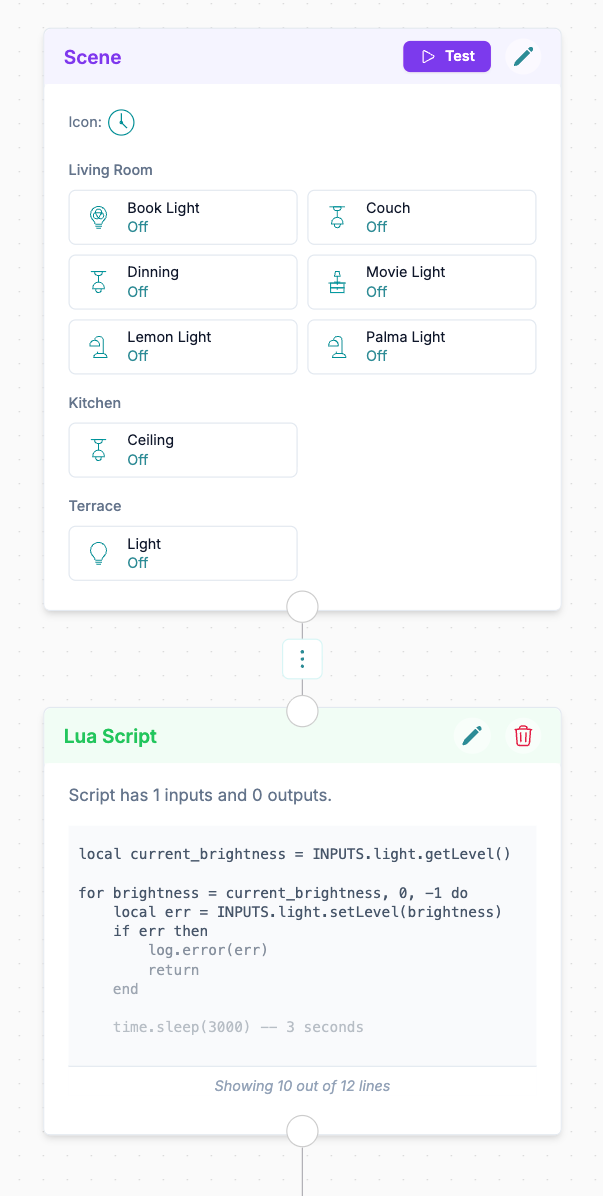
First I opened my Night Scene in the 1Home Scene Editor and I added a LUA block after the original scene block. I also deleted the "Counter Strip" from the scene block, since I'll be using it as input in the Lua Block. The hacked Night Scene with the Lua block
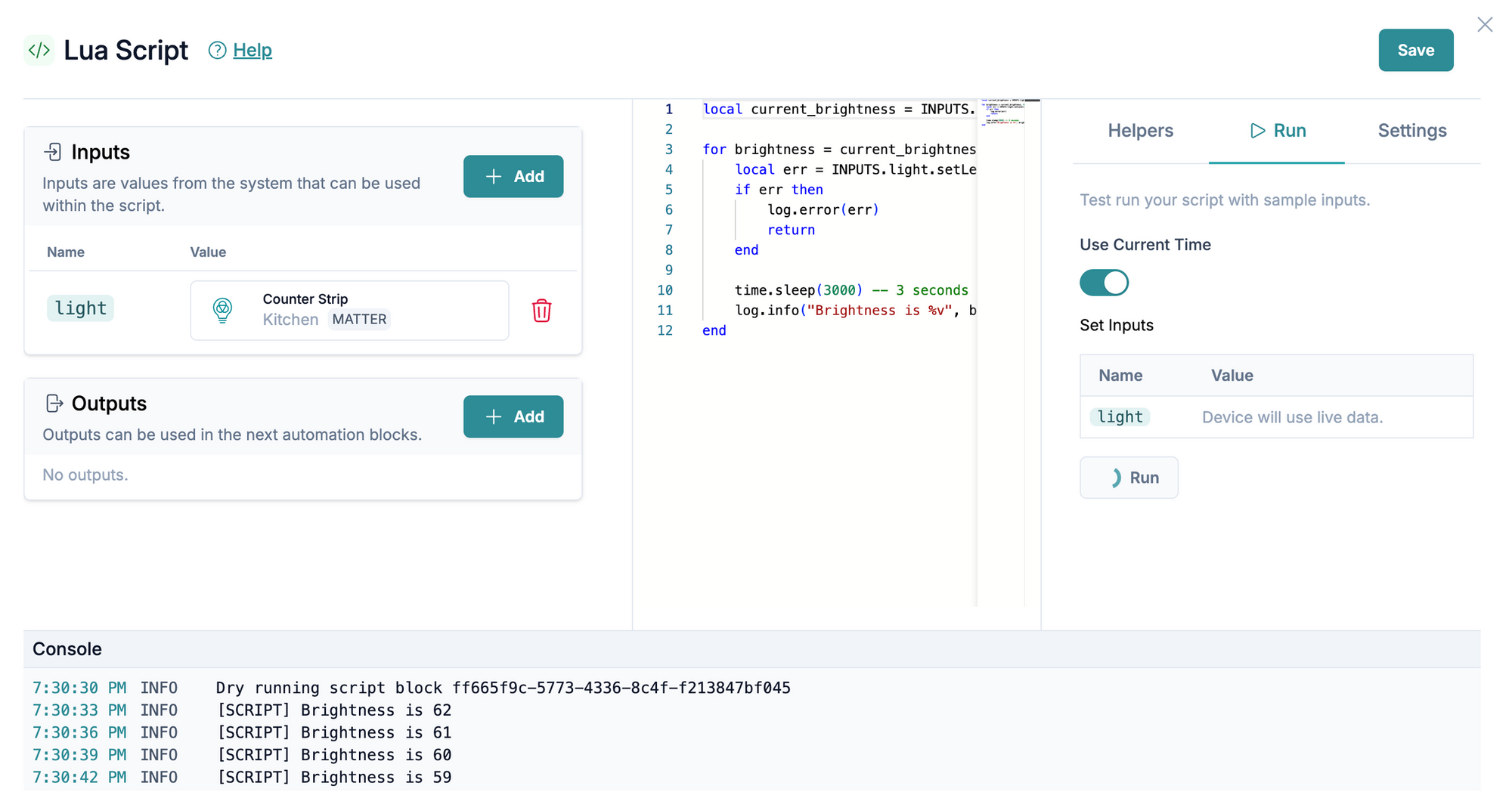
I added the "Counter strip" light as an input and copied the code from the video:
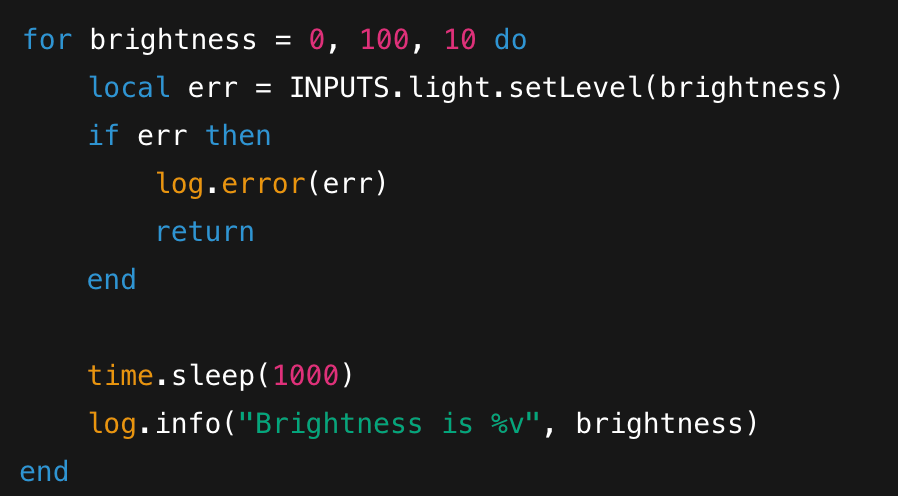
As per the advice at the end of the video, I pasted the copied code to ChatGPT asking it to rewrite it so that:
- the light dims from the current setting down to 0,
- in increments of 1%,
- every 3 seconds
This is the code it gave me and I copy/pasted it into the "text field" fo my Lua Script block:
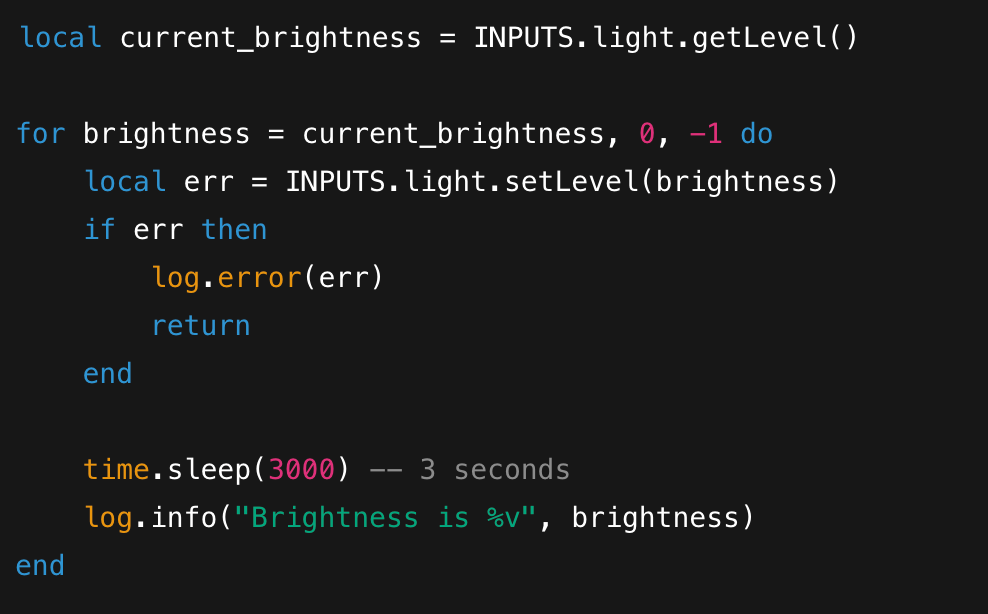
And voila, my first Lua scripting job is done. Now I can safely go to bed without ending up in crutches.
Dr. Smart Home out. Stay tuned for more Lua Script Shenanigans
Takeaway
Lua scripting will become part of 1Home Automations and Scenes on all existing 1Home devices as a free upgrade — probably (or hopefully 🙂) end of October / beginning of November.
That’s also when our new product, the 1Home System Manager, starts shipping.