
The smart home world has long been divided between two major types of systems: BUS (KNX included), the professional-grade wired automation solutions, and flexible, wireless solutions like Shelly.
Each of these systems is designed with different goals in mind — BUS (KNX) for structured, professionally installed control in larger projects, and Shelly (wireless) for quick, cost-effective automation at the device level. As a result, combining them has been difficult without technical workarounds. Now, thanks to the Matter standard and integration platforms like 1Home, these two systems can work together reliably and locally.
1Home enables you to simply connect all your KNX devices - while at the same integrating all Matter certified devices (including Shelly). This opens the door to powerful new possibilities where wired and wireless devices work together smoothly in one interface.

Ways of integrating Shelly with KNX
Here’s a quick overview of how Shelly KNX integration works using 1Home as a Shelly KNX bridge to connect and control both systems:
- KNX is integrated directly into 1Home.
- Shelly Plug S Gen3 supports the Matter protocol and works with 1Home out of the box.
- New Shelly Gen4 devices (like Shelly 1 Gen4, 1PM Gen4, and others) now also support Matter natively, making Shelly KNX integration even easier.
- Older Shelly devices can be added through a DIY Shelly Matter Bridge, which you set up on a Raspberry Pi to connect them to Matter and KNX.
Once connected, the 1Home integration lets you control both KNX and Shelly devices – including Shelly Gen3 KNX models – from the 1Home mobile app.
You can also use them together in automations through the 1Home logic module—for example, using a KNX wall switch to control a Shelly plug, or turning off all devices (wired and wireless) when leaving the house.
This guide will not only show you how you can control Shelly Plug S Gen3 and all newly launched Gen4 devices that support Matter together with KNX in a professional way (with 1Home) - but also how you can integrate all other Shelly devices with KNX, tinkering around with the DIY Shelly Matter bridge.
What is KNX and Why Integrating It Has Been Difficult
KNX is a long-standing, open standard for smart home and building automation. It's known for being wired, stable, and highly customizable—ideal for controlling lights, heating, blinds, ventilation, and more in residential and commercial settings.
Unlike many plug-and-play systems, KNX is designed for professional installation and long-term reliability. It works incredibly well on its own, but connecting it to modern wireless ecosystems has often required complex workarounds, gateways, or custom integrations.

The Interoperability Gap
KNX runs on a wired, protocol-specific network, while most modern smart home devices—like Shelly, Philips Hue, or Nanoleaf—use wireless protocols such as Wi-Fi, Zigbee, or Thread. For a long time, there was no straightforward way to make these two ecosystems talk to each other. Bridging them often meant relying on custom-built solutions, niche hardware, or pricey proprietary gateways. This created a major roadblock for users who wanted the reliability of KNX and the flexibility of newer, app-based devices all in one smart home system.
This has made it harder for KNX users to expand their systems with newer, affordable smart home tech—especially if they wanted different control, voice assistants, or cloud features.
1Home Makes KNX Setup and Integration Simple
1Home solves the KNX interoperability challenge by offering dedicated hardware — 1Home Server KNX that connects KNX systems to modern wireless ecosystems like Shelly. These devices act as local gateways, making it possible to read your KNX configuration and sync it with 1Home's platform for easy control and automation.

To get started, check out the 1Home Server KNX quick setup guide for step-by-step instructions on integrating your KNX system.
Understanding the Matter Standard
Matter is a new smart home standard designed to make devices from different brands work together more easily. It was developed by major companies like Apple, Google, Amazon, and others to solve one big problem: compatibility
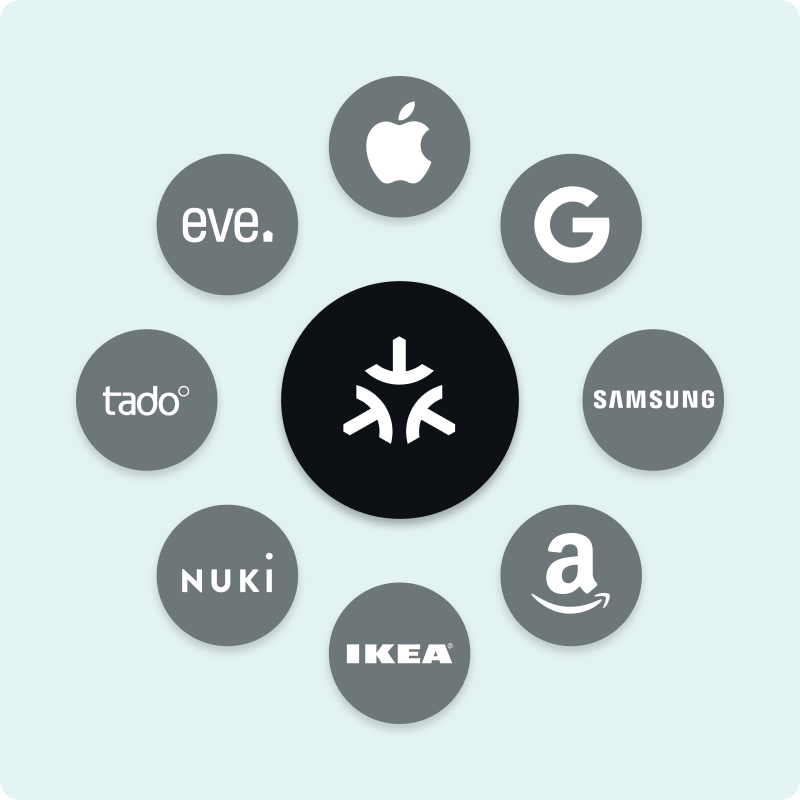
Before Matter, connecting devices from different ecosystems often required bridges, hubs, or cloud services. Matter changes that by creating a common language for smart devices—whether they use Wi-Fi, Thread, or Ethernet.
This is especially useful when working with a KNX system, which is traditionally wired and uses its own protocol. Thanks to Matter, wireless devices like Shelly can now connect into this ecosystem through 1Home.
A good example is the Shelly Plug S Gen3, a compact smart plug that supports Matter out of the box. That means it can be added directly into your 1Home setup—no special configuration, extra hubs, or coding needed. Once connected, it behaves just like any other device in your smart home, and you can include it in your scenes, schedules, or automation rules.
1Home has also recently introduced Matter Controller functionality—meaning you can now use 1Home itself to commission and manage third-party Matter devices like smart plugs, color lights, and door locks. These devices can then be used together with KNX devices inside the 1Home Server, across the 1Home mobile app, automation engine, and more.
Check out more below:
Bonus: Using the DIY Shelly Matter Bridge to Add More Devices
While some Shelly devices now support Matter natively, many popular models—especially older ones—don’t. That’s where the DIY Shelly Matter Bridge comes in. It’s a community-built solution that lets you connect non-Matter Shelly devices to your 1Home + KNX setup using a small, inexpensive device like a Raspberry Pi.
The idea is simple: the DIY Shelly KNX Bridge bridge translates your Shelly device’s communication into the Matter standard, allowing it to work with other Matter-compatible devices and be visible in the 1Home app.
To set it up, you’ll need:
- A Raspberry Pi (Model 3 or newer recommended)
- The Matterbridge-Shelly software from GitHub
- Your Shelly devices on the same local network
Once installed and configured, the Shelly Matter bridge makes all connected Shelly devices behave like native Matter devices.
You can connect all other Shelly devices via the DIY Shelly Matter Bridge
If you're working with older Shelly models, the Shelly KNX integration via the DIY bridge is a reliable and flexible option. Here are some examples of devices that can be added through it:
- Shelly 1 / 1PM / 2.5 – simple relay switches with or without power monitoring
- Shelly Dimmer 2 – for dimming and lighting control
- Shelly EM / 3EM – for energy monitoring
- Shelly Plus and Pro Series – including more advanced relays and multi-channel devices
Additionally, the newly launched Shelly Gen4 models can connect directly to 1Home without needing a bridge or Raspberry Pi.

Controlling and Automating KNX + Shelly Devices Together
Once your KNX and Shelly devices are connected through 1Home, you can control them from a single place—the 1Home mobile app. The app gives you access to both wired (KNX) and wireless (Matter-based) devices in one interface. For everyday use, this means you can:
- Turn Shelly plugs and KNX lighting circuits on or off from the same screen
- Monitor and control power usage from different devices
- Adjust lighting, heating, or security scenes without switching apps
If you want to go beyond basic control, 1Home also offers a built-in logic module—an automation engine that lets you link devices together in custom routines. For example:
- Use a KNX wall switch to turn on a Philips Hue light or trigger a NUKI smart lock
- Create an “away” routine that powers down Shelly plugs and adjusts your KNX thermostat
- Trigger Shelly or Matter-based lights based on input from a KNX motion detector
The logic editor is visual and intuitive, so you don’t need programming knowledge to get started. It’s especially helpful for combining devices across different platforms in one automation flow.
To see how this works in real-life setups, check out our video guide:
Shelly KNX Integration via 1Home: Overview
KNX and Shelly devices were built on different technologies—KNX as a wired standard, and Shelly as a wireless one. With Matter and 1Home acting as your Shelly KNX gateway, they can now work together in a unified, local, cloud-free setup.
Whether you're using the Shelly Plug S Gen3, one of the new multiprotocol Gen4 models, or older Shelly devices via the DIY Matter bridge, everything can run in one app—alongside your KNX system. You can create automations across both worlds using the 1Home logic module, like turning off a Shelly plug with a KNX wall switch, or combining sensors and scenes.
1Home acts as the central piece in this setup, functioning as a simple Shelly KNX gateway. It makes advanced KNX Shelly integration possible without technical complexity.
If you're ready to make your smart home more connected and future-ready, now’s the time to start. Explore how 1Home brings it all together—cleanly, locally, and with no cloud reliance.
Frequently Asked Questions (FAQ)
What is the easiest way to integrate Shelly devices with a KNX system?
In our experience, the quickest path is to use Shelly Plus/Pro Gen-3 devices, as they speak KNX/IP out of the box. Enable KNX in the Shelly WebUI, point it to your KNX/IP router, import the generated knxprod file into ETS, and map the group addresses.
Older Shellys can still join KNX via HTTP/MQTT through a bridge such as the 1Home Server.
Do I need a KNX/IP router to link Shelly devices to the KNX bus?
For Shelly Plus/Pro Gen-3 devices, yes — a KNX/IP router is required because they use KNXnet/IP Routing (multicast), not tunneling. Older Shellys (Gen-2 and Classic) don’t speak KNX directly; either bridge their HTTP/MQTT data via a logic engine such as the 1Home Server, or switch to a model with native KNX/IP.
Can a Shelly 2PM control blinds or shutters when triggered by a KNX wall switch?
Yes (Gen-3). On Shelly Plus/Pro Gen-3, enable the Cover/Blind mode, calibrate the motor, and enable interlock; then link the Up/Down/Stop objects to the KNX wall switch in ETS. Older Shellys work via a 1Home Server rule that converts KNX telegrams to Shelly HTTP/MQTT.
How do I send energy consumption data from Shelly devices (e.g., Shelly Pro 3EM) into a KNX visualisation?
Enable KNX/IP on the Shelly Pro 3EM (Gen-3). It exposes 4-byte group objects for power, voltage, and total kWh; import its knxprod file into ETS and map those objects to your KNX visualisation. Older Shellys can stream HTTP/MQTT data to a 1Home Server, which translates the values into KNX group addresses.
Are there ready-made logic templates for combining Shelly relays with KNX controllers like the Gira X1 or Gira HomeServer?
There isn’t an official “Shelly” logic block in the Gira App-Shop. Use the generic HTTP/REST blocks in X1/HomeServer, or use the 1Home Server, which provides templates that map Shelly API calls to KNX group addresses — no custom scripting needed.
For a new build, is it smarter to rely on wired KNX everywhere or mix in Shelly Wi-Fi modules?
Wire all critical circuits (lighting, blinds, HVAC) with KNX for low-latency, low-maintenance control. Use Shelly Wi-Fi relays as add-ons (garden lights, outdoor sockets) where cabling is costly or flexibility is desired. A hybrid setup works well if Wi-Fi coverage is robust and each Shelly is integrated into KNX either natively via KNX/IP (for compatible models) or via the 1Home Server.
How secure is the communication between Shelly devices and the KNX bus — do they support KNX Secure?
Currently Shelly Plus/Pro do not support KNX Secure (IP Secure or Data Secure). The 1Home Server also does not send KNX-Secure telegrams. In practice, segment traffic (VLAN), use firewall/VPN, and block external access. If you need end-to-end encryption, all involved KNX devices must support KNX Secure natively — a bridge cannot provide it.