Sonos in automations
Sonos players appear in the 1Home Automations like any other device. This page lists every Sonos state you can trigger or check on, every action you can take, and a few examples.
Table of contents
Actions
Use these as an Action in an automation or in a Scene.
| Action | What it does | Inputs |
|---|---|---|
| Play | Resume playback | — |
| Pause | Pause playback | — |
| Toggle Play/Pause | Flip between play and pause | — |
| Next | Skip to next track | — |
| Previous | Return to previous track | — |
| Seek | Jump to absolute position | Position (milliseconds) |
| Seek Relative | Jump forward or backward | Delta (milliseconds, signed) |
| Set Volume | Set absolute volume | Volume (0–100) |
| Set Relative Volume | Adjust by a delta | Delta (−100 to +100) |
| Mute | Mute the player | — |
| Unmute | Unmute the player | — |
| Load Favorite | Play a saved Sonos favorite | Favorite (dropdown) |
| Load Playlist | Play a saved Sonos playlist | Playlist (dropdown) |
| Modify Group Members | Add or remove players from the group | Players (multi-select) |
| Play Audio Clip | Play a built-in chime or preset | Clip, Volume, Priority, LED Behavior |
| Play Custom Audio Clip | Play an audio clip from a URL | URL, Volume, Priority, LED Behavior |
| Duck | Temporarily lower the volume | Duration (milliseconds) |
| Unduck | Restore volume after ducking | — |
| Set Repeat | Toggle repeat-all | Repeat / No Repeat |
| Set Repeat One | Toggle repeat-one | Repeat One / No Repeat One |
| Set Shuffle | Toggle shuffle | Shuffle / No Shuffle |
| Set Crossfade | Toggle crossfade | Crossfade / No Crossfade |
See Controls for what each of these actions does in the 1Home dashboard — they behave identically in automations.
Triggers and conditions
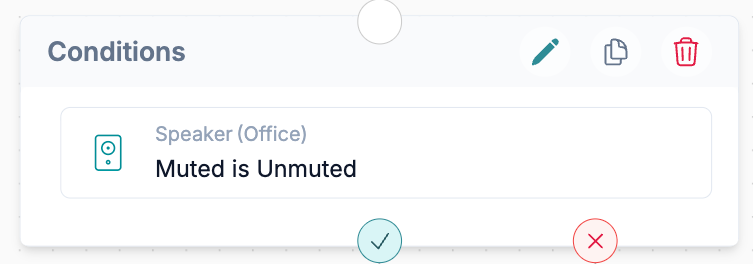
Use these Sonos speaker attributes as a Trigger (the automation runs when the value changes) or as a Condition (the automation only proceeds if the value matches).
| Attribute | Type | Values |
|---|---|---|
| Playback Status | Enum | Unknown, Idle, Buffering, Playing, Paused |
| Volume | Integer (0–100) | Percent |
| Muted | Boolean | Muted / Unmuted |
| Current Item Name | Text | Current track / podcast / item name |
| Current Item Artist | Text | Current track artist |
| Current Item Album | Text | Current track album |
| Current Item Duration | Integer | Milliseconds |
| Playback Position | Integer | Milliseconds |
| Next Item Name | Text | Next queued track name |
| Next Item Artist | Text | Next queued track artist |
| Next Item Album | Text | Next queued track album |
| Repeat | Boolean | Repeat / No Repeat |
| Repeat One | Boolean | Repeat One / No Repeat One |
| Shuffle | Boolean | Shuffle / No Shuffle |
| Crossfade | Boolean | Crossfade / No Crossfade |
| Group Name | Text | Name of the current Sonos group |
| Group Members | List | Player IDs in the current group |
| Playing Groups | List | Groups currently playing across the household |
| All Players | List | Every player in the household |
Examples
1. Play doorbell chime on Sonos
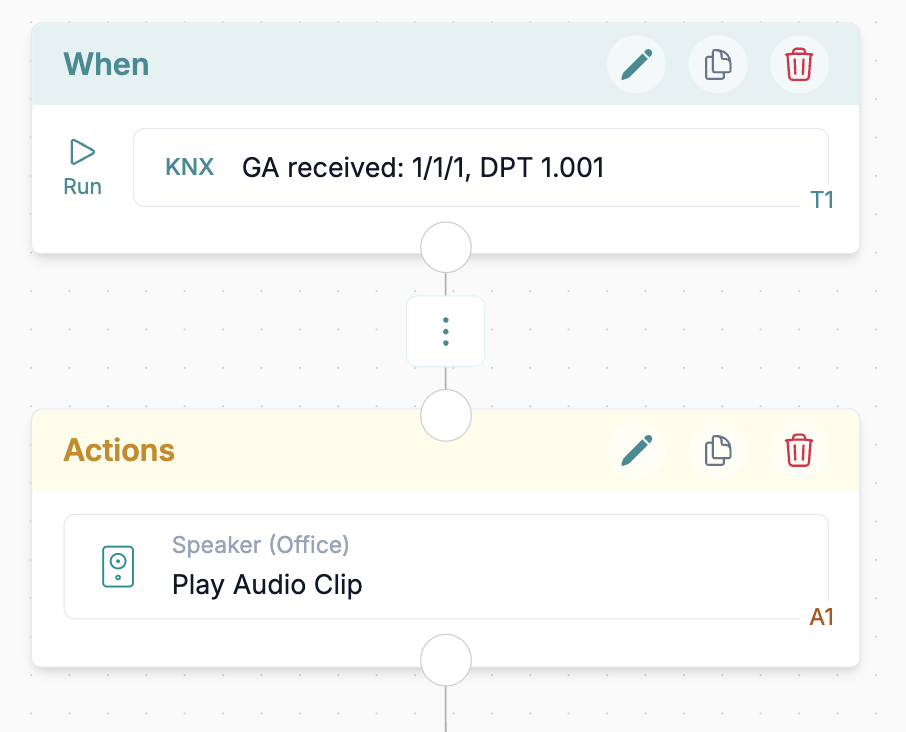
Goal: when a KNX doorbell pushbutton is pressed, drop the kitchen Sonos volume for ten seconds and play a chime, then return to the music automatically.
Build the automation as:
- When – listen for a group address change indicating a push button press (see Working with KNX).
- Action – on the Sonos speaker,
Play Audio Clipwith a built-in chime at a moderate volume.
2. Pause all Sonos at goodnight
Goal: when you tap a "Goodnight" scene on your phone or the mobile app, pause every Sonos player in the household.
Build it as:
- When -
Goodnightscene runs. - Action -
Pauseevery Sonos player.