

KNX Generic Device
Use this device type to display any kind of data from KNX. Some examples:
- Energy metering & consumption
- Wind speed
- Rain and other sensors
- Diagnostic messages
- Alarm status
- etc.
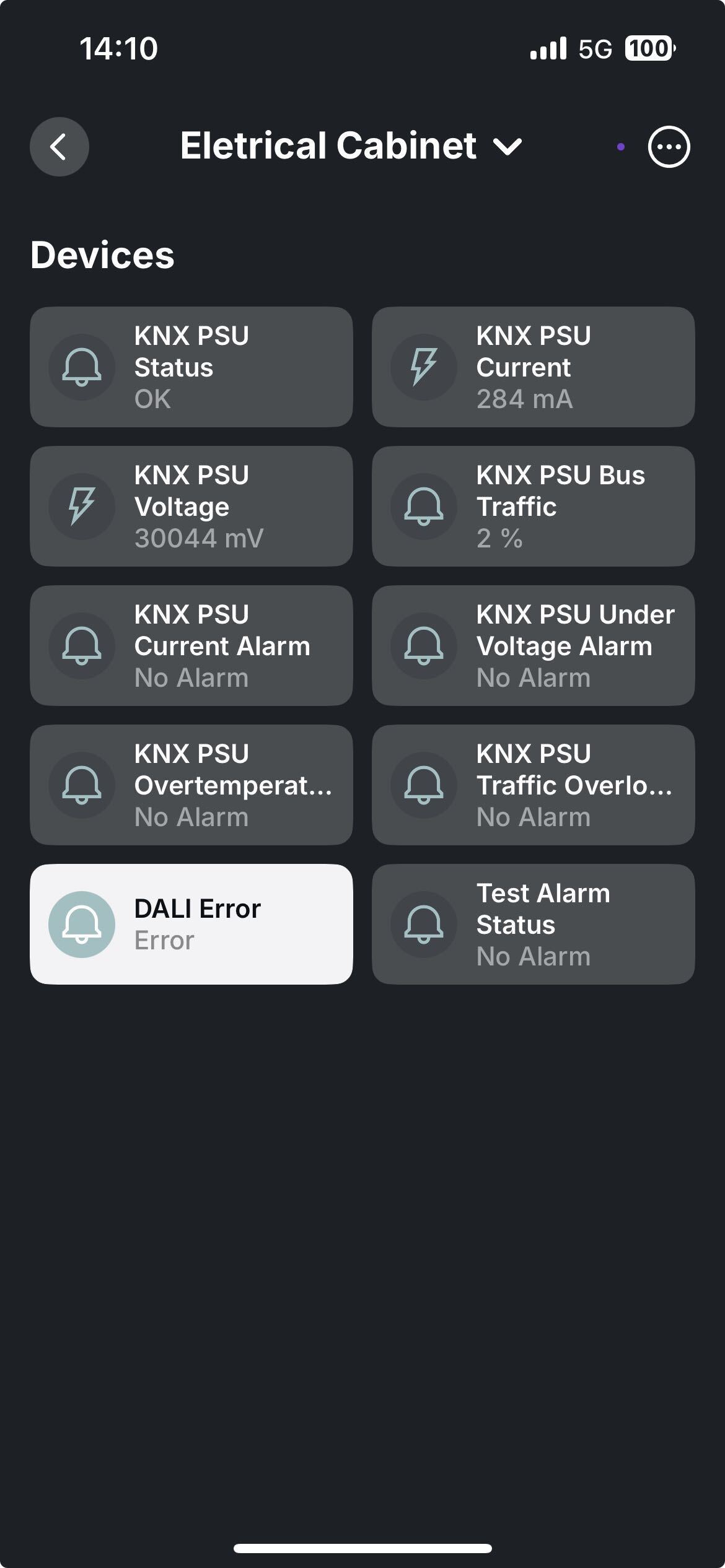
See the different types of data displayed in the app using the KNX Generic Device.
Table of contents
Configuration
1. Provide basic details
Provide details such as name, KNX gateway, room, and optional description. Also select Type as Status Display.
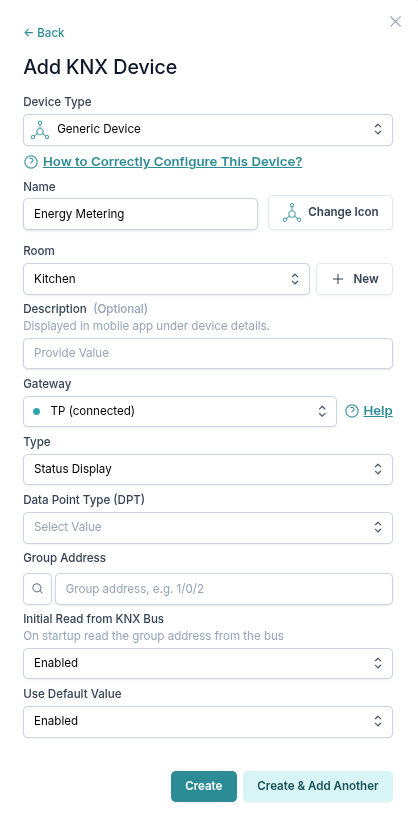
2. Select KNX datapoint type (DPT)
You can select between the following DPTs:
1.*(1-bit)5.*(8-bit unsigned value)5.001percentage (0..100 %)5.003angle (degrees)5.004percentage (0..255 %)6.*(8-bit signed value)7.*(2-byte unsigned value)9.*(2-byte float value)12.*(4-byte unsigned value)13.*(4-byte signed value)14.*(4-byte float value)16.000Character String (ASCII)16.001Character String (ISO 8859-1)
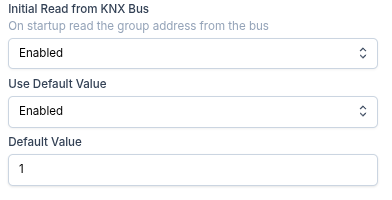
4. Set initial data
Different ways to set the initial data when your 1Home device boots up:
Initial Read from KNX Bus:Disabled- Do not read the group address from the bus. Set default value from "Use Default Value" field.Enabled- On startup read the group address from the bus. If the read fails set the default value from "Use Default Value" field.
Use Default ValueDisabled- No default value, reading this device will fail and display a dash ("-") in the mobile app (if no data arrived in between).Enabled- Specify a default value.
3. Configure display details
You can customize your KNX Generic Device.
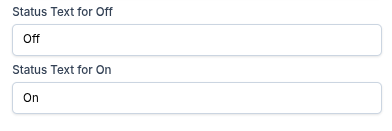
For DPT 1.* (1-bit)
Customize the display value for values Off (0) and On (1).
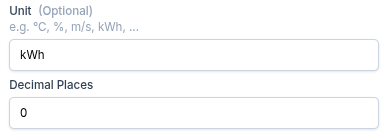
For DPTs representing numbers
Customize the display text for unit as well as number of decimal places if DPT represent a decimal number.
Behavior in Matter apps
Due to limitations in current Matter standard, this device cannot be bridged to Matter and is only available within the 1Home ecosystem.